Changes in the quote creator v 3.0 - graphics generator, comprehensive correction, AI image labeling
What's new in Ofertator
We have just celebrated 750 users. We were supposed to write the next post only when we reached 1000 — but the wave of new users exceeded our wildest expectations, and in less than 6 months, there are already 1100 of us. Thank you!
On this occasion, based on your feedback, we come with two real gamechangers.
💡 Reminder: if you have an idea for a new feature or found a bug, report it via
Idea / Bugin the panel. This is where we get most of the things we work on from.
What's new?
Grafikomat (Graphics Generator)
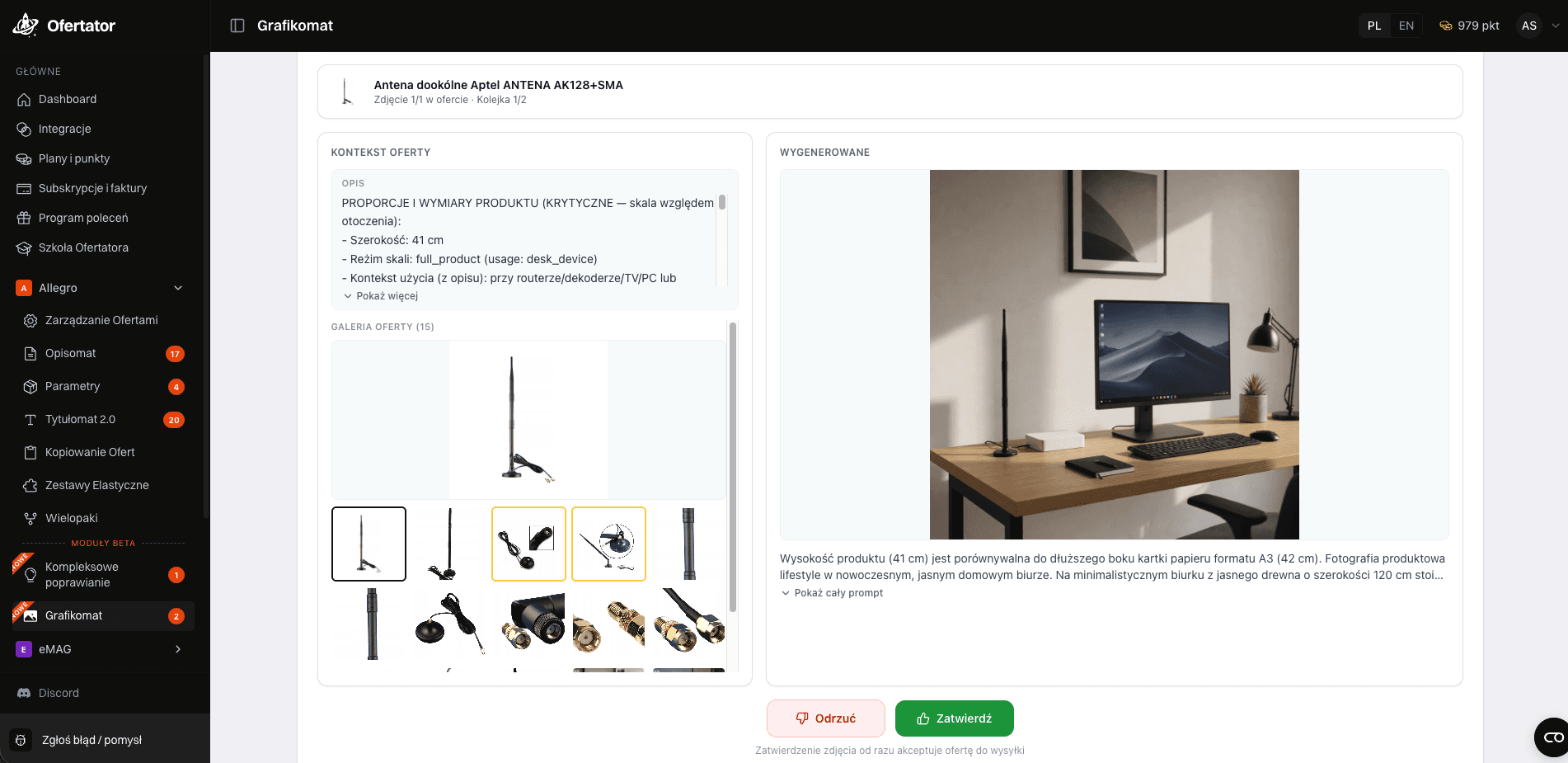
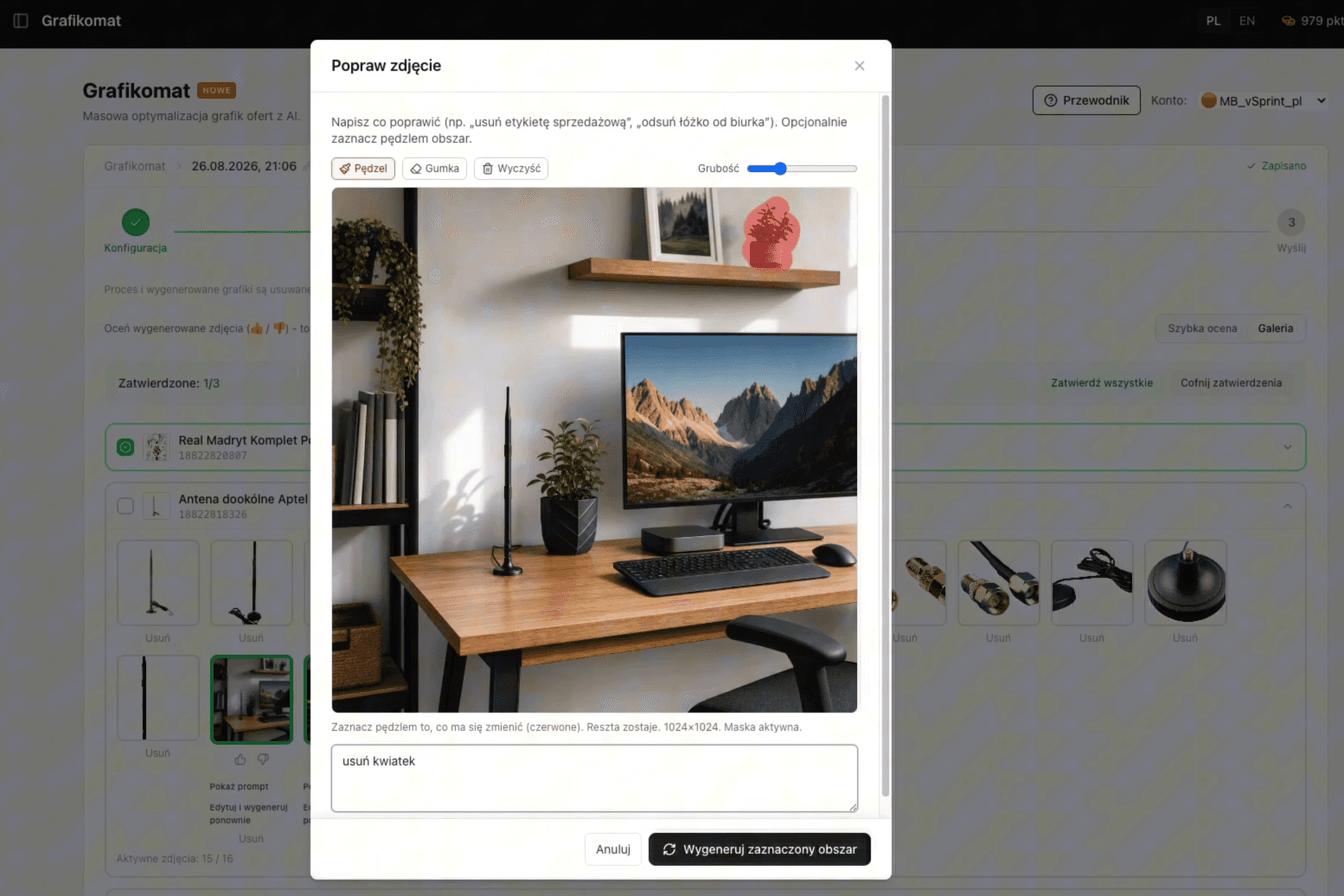
A new module that starts a big revolution in our application. From today, you are able to bulk-generate lifestyle photos for your products, so that your product catalog is complete and increases your relevance in Allegro search results.
It's simple — the whole process takes only 5 steps:
You check the quality of offers in the application based on photos
You select those with a small number of photos
You generate in bulk — our program itself figures out how the product should be presented: what light, what scenery, based on the description and parameters
You verify
With one click, you upload to Allegro or download the file with photos
📌 This is just the beginning of a larger module — we are already starting work on further extensions, such as
ThumbnailsandInfographics. They will appear in the near future.
Comprehensive Correction

Another feature created directly based on your feedback. Thanks to it, based on the scoring, you correct several things at once in one process — Parameters, Tytułomat (Title Generator), and Opisomat (Description Generator) — with one click, without switching between modules.
📌 This is also just the beginning of a larger module — listing products from scratch will appear in September.
Labeling AI-generated or modified images (compliance with AI Act)
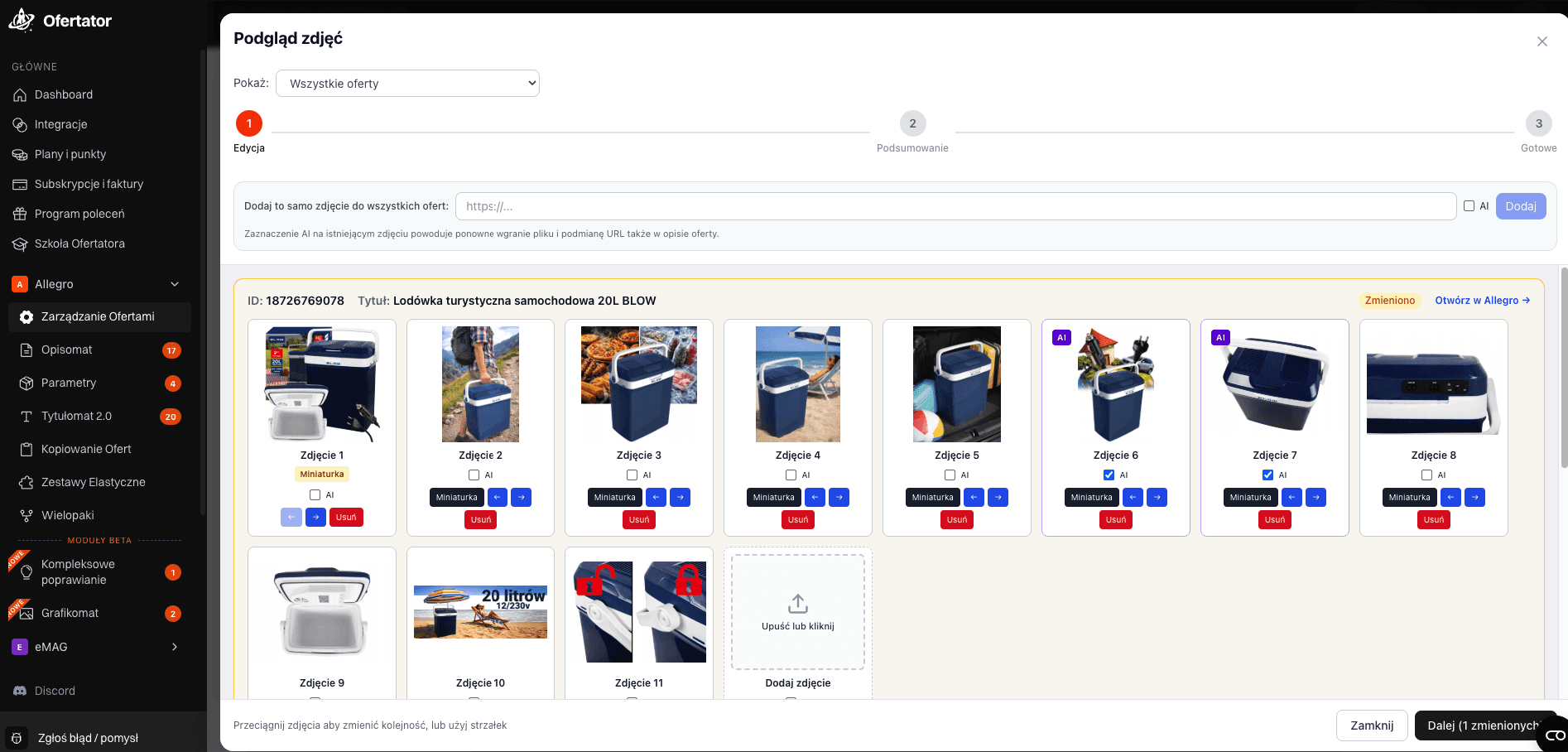
Since August 2, a new AI Act directive has been in force on Allegro, which requires labeling images generated or modified using AI — this also applies when you have only changed the background of the image using AI or added an AI lifestyle photo. If you want to label your photos, you will do it more conveniently using Ofertator.
You select products — individually or by browsing the entire catalog
You go to
Photo PreviewYou select photos that you have modified or generated in AI in the past
You click
Send to Allegro
Ofertator downloads these photos, labels them as generated/modified by AI, and uploads them back to Allegro, without interfering with the rest of the offer description.
💡 In addition, uploading photos in Ofertator is now simpler than directly on Allegro — you can upload several photos at once and select them with one move, instead of confirming each photo separately in a separate pop-up.
Filling in missing required fields
In all modules (Opisomat (Description Generator), Tytułomat (Title Generator), and others), we have added an additional option to fill in missing required fields — e.g., manufacturer, responsible person, or GPSR — which unlocks making changes on Allegro.
Sorting by SKU
In offer management, we have added the option to sort by SKU.
What we fixed
A fix in the
Parametersmodule regarding skipping the generation of parameters that should not be filled in when another, already filled parameter excludes the rest
Thanks for every report — those are the ones that most often end up on the list of upcoming fixes.
What are we building next?
Position | Feature | Status |
|---|---|---|
1. | Grafikomat extensions ( |
|
2. | Listing new offers from scratch |
|
3. | Further development of Comprehensive Correction |
|
What we are preparing in the near future
Thumbnails and infographics as an extension of Grafikomat
Listing new offers from scratch (September)
Further fixes based on your reports in the
Idea / BugmoduleMore tutorial videos
Thank you very much once again — see you in two weeks with more news!