Changes in the offer generator v 2.0 - multipacks, importing templates

What's new in Ofertator
Another cycle is behind us — as promised, every two weeks we return with a summary of changes in Ofertator. Here is what has happened in the last two weeks.
💡 Reminder: if you have an idea for a new feature or found a bug, report it via
Idea / Bugin the panel. This is where we get most of the things we work on.
What's new?
Refreshed dashboard
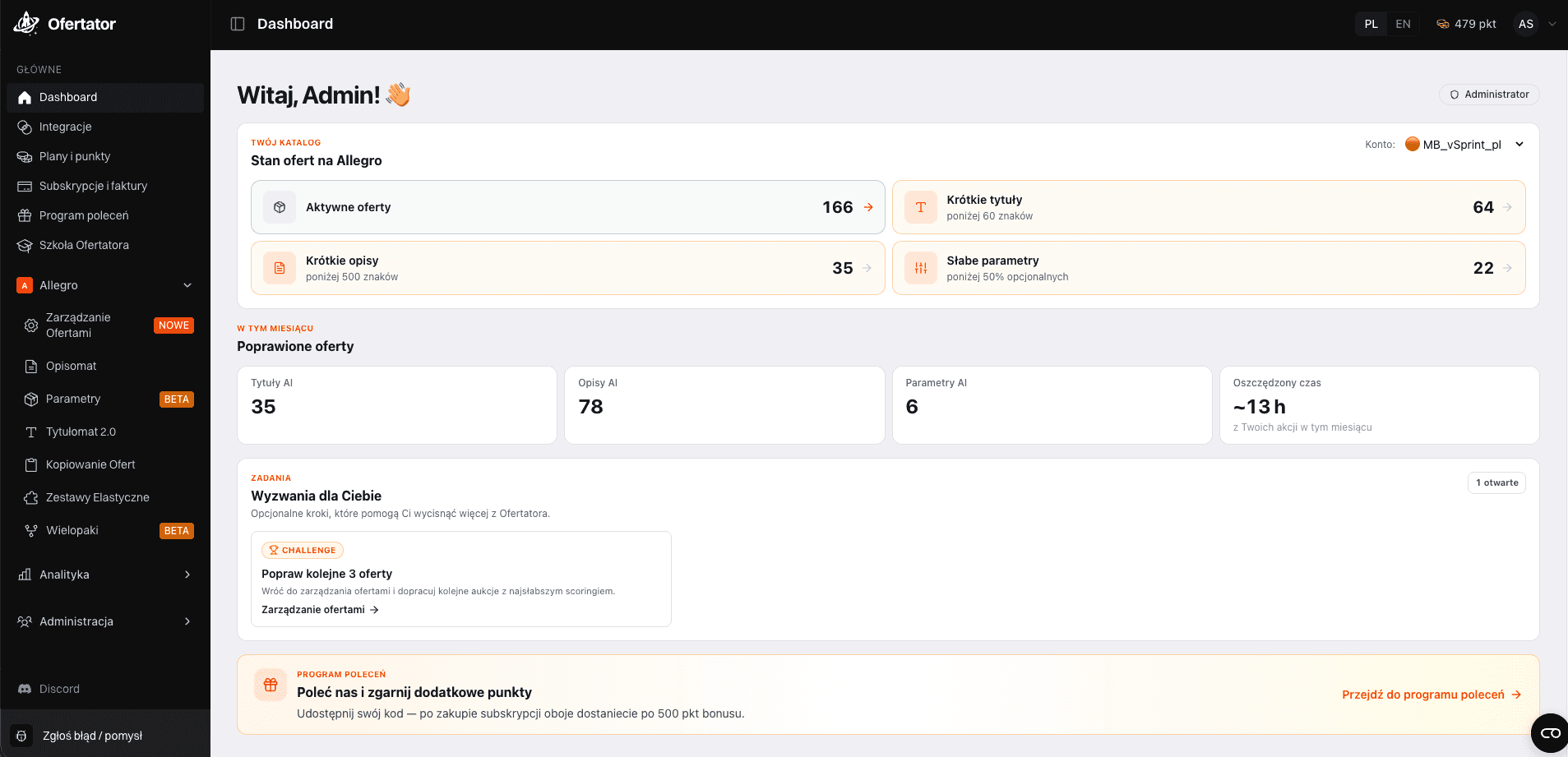
The dashboard has undergone its first wave of changes — this is just the beginning of a larger redesign, but you can already see some new metrics regarding your account:
number of offers with titles shorter than 60 characters
quick filtering of these offers with a single click
ability to select all at once and run fixes, e.g., in Tytułomat
Redesigned templates in Opisomat
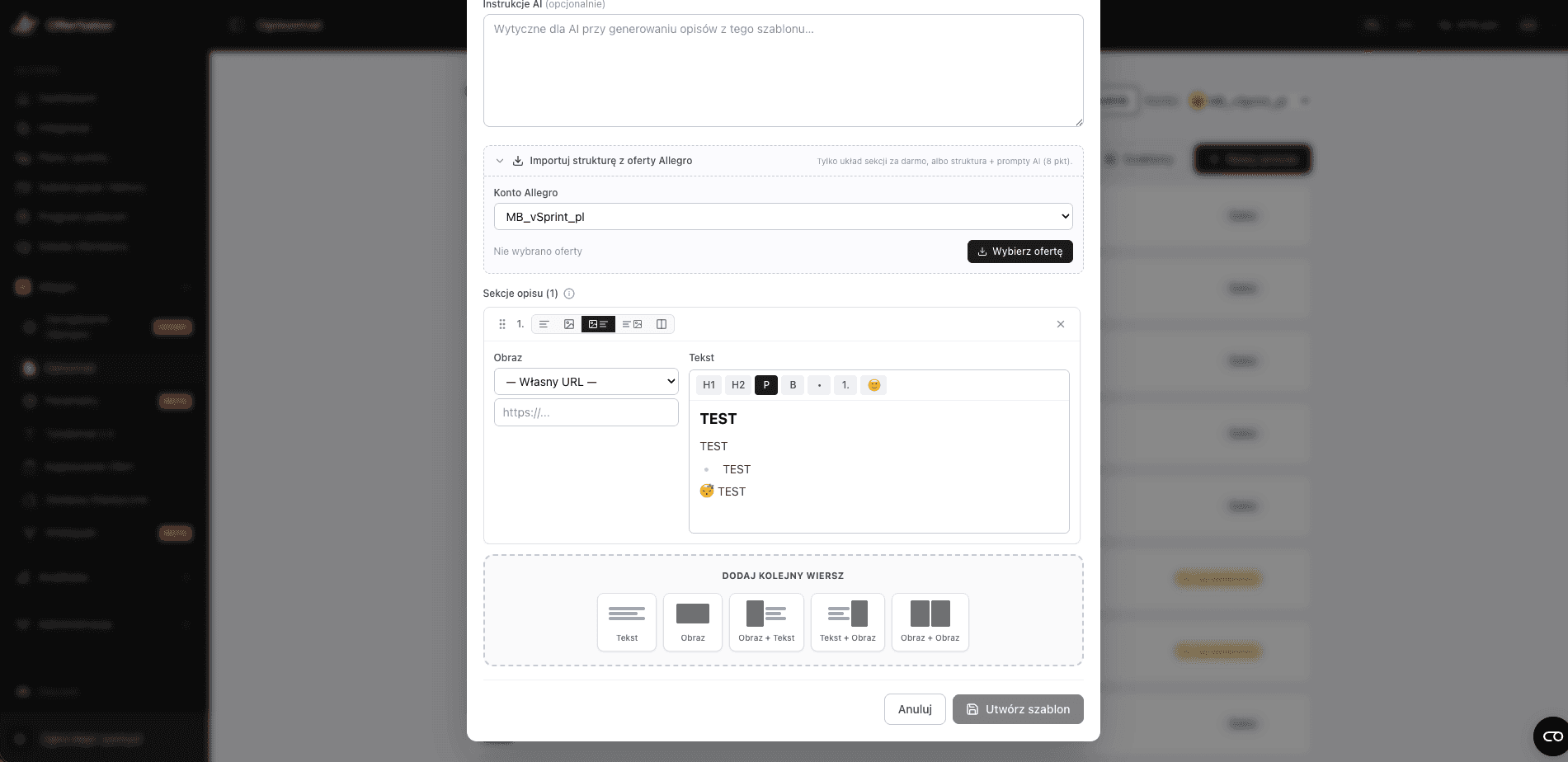
The entire section for creating and managing templates has been simplified:
creating a template now looks more like a native Allegro offer
we gave up the "code" view (e.g.
H1,product title,H1) in favor of a more visual editoryou can add emojis directly in the description
new option: structure import based on an example product
📌 If a template contains, for example, four product advantages, always starting with the same emoji — now it's easier to replicate this with one click, instead of clicking it manually every time.
Structure + AI Prompt in one
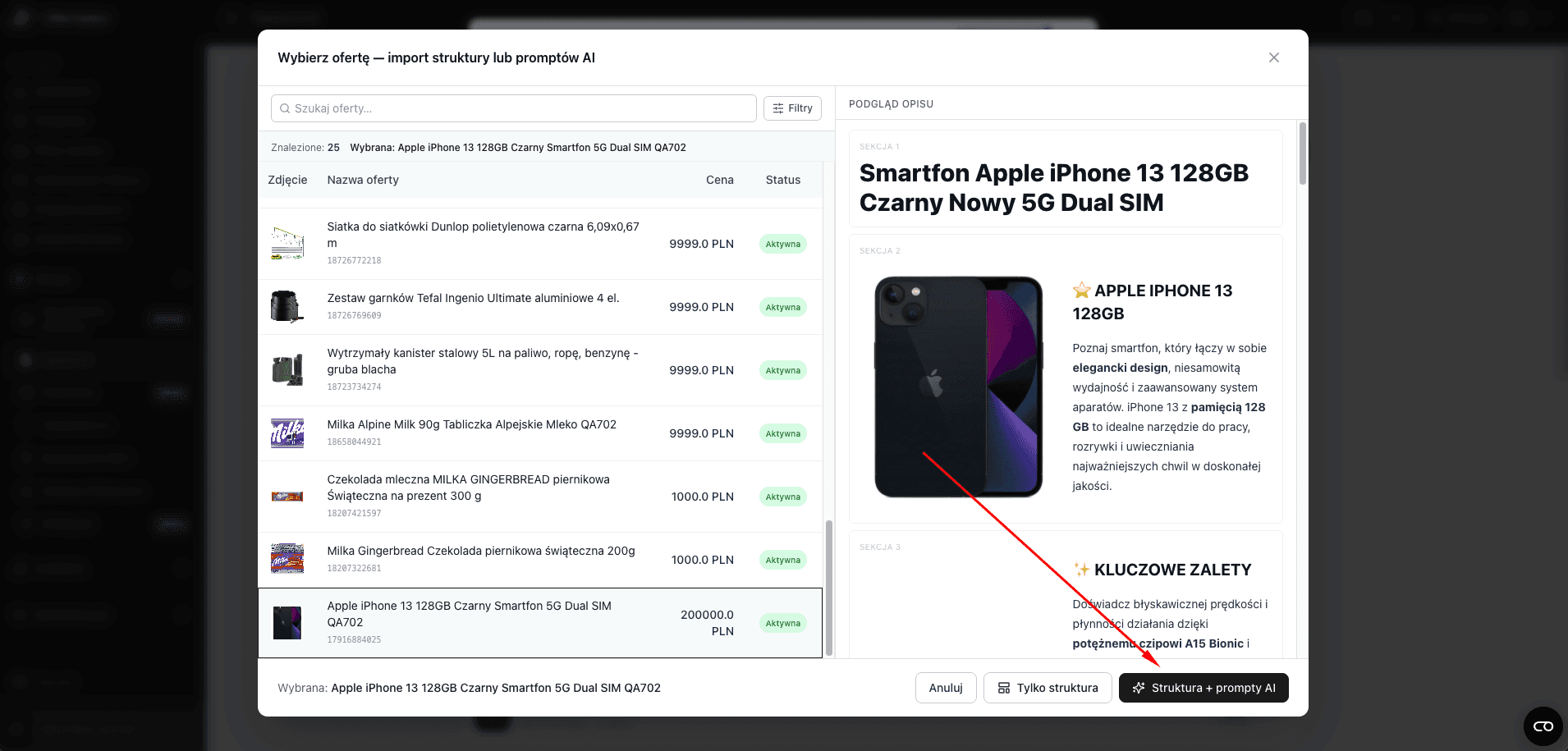
Until now, a template could have either a structure (e.g., "left image, right text") or an instruction for the AI. Now both work together:
You specify an example product
Ofertator generates the structure and the AI instruction simultaneously (e.g., title, emoji in the header, number of key advantages, technical parameters)
Subsequent products using this template are created faster and more consistently
Multipacks — new module
From now on, you can easily create multipacks in Ofertator and encourage buyers to increase their shopping cart size.
Allegro shows a "Multipack" section on the offer page — next to your single-item offer, it displays up to 3 multipack variants along with a percentage discount compared to the single product price. There is one condition: the multipack will only appear if it is cheaper or the same price per item as the single offer; if it is more expensive, Allegro won't show it. The same rule applies to both your multipacks and competitor multipacks – if you don't have a matching variant in your assortment, Allegro will show another seller's multipack on your offer (That is why it's worth creating one).
In Ofertator, besides creating multipacks, we added a simulation of this view, so you don't have to guess which of your multipacks the buyer will actually see and with what discount — you can preview it immediately without going to Allegro.
In addition, in the new module:
setting an amount or percentage discount before listing
offer preview before creation
option to set your own SKU — useful for Baselinker integration
setting prices for individual items in a multipack

Copying offers — changes
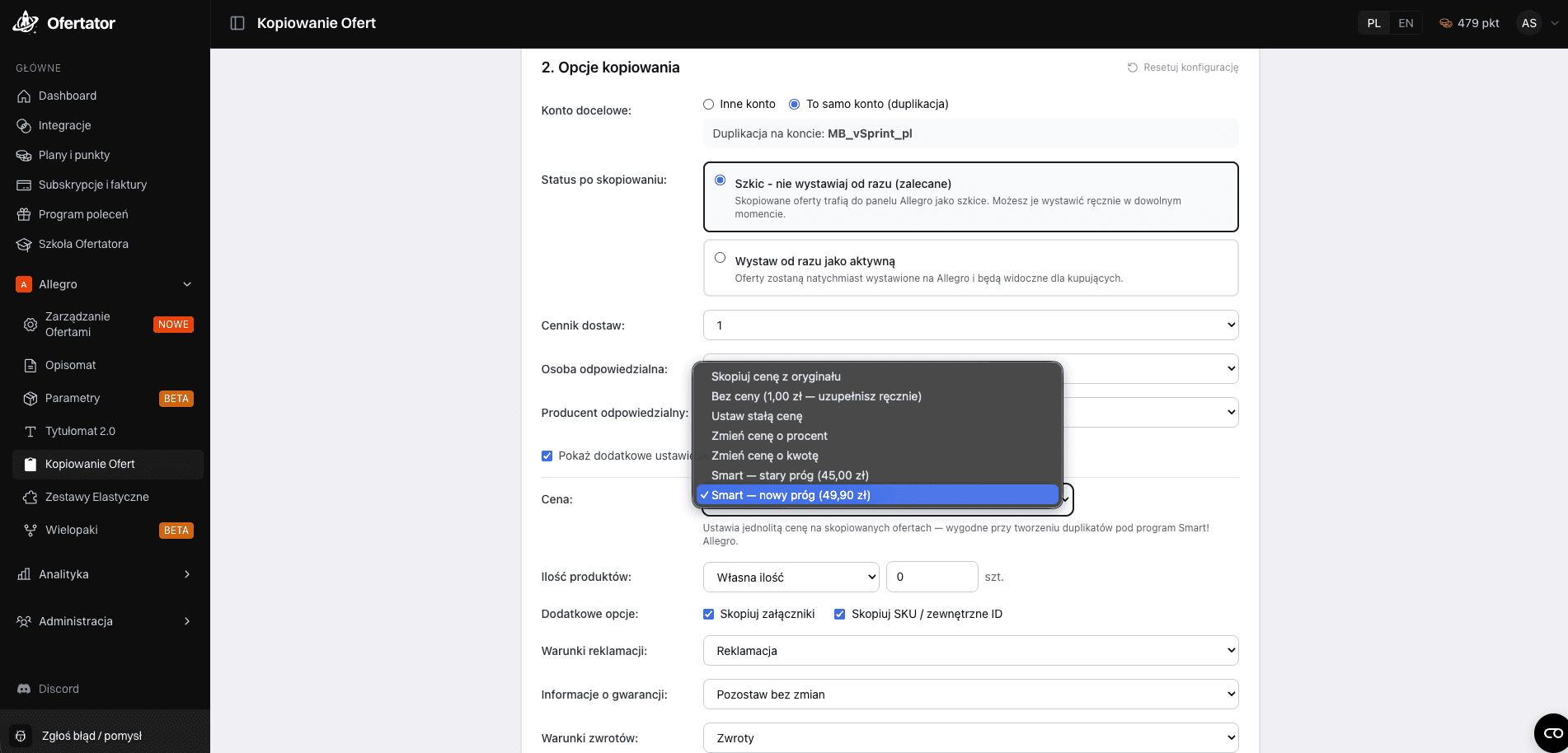
We have expanded the options for setting prices when copying offers — both between accounts and to the same account. From now on, when copying, you can choose a price from the following options:
Copy price from originalNo price (PLN 1.00 — you fill in manually)Set fixed priceChange price by percentageChange price by amountSmart — old thresholdSmart — new threshold
💡 The
Smart — old thresholdandSmart — new thresholdoptions set a uniform price on copied offers — convenient when creating duplicates for the Allegro Smart program.
Onboarding guide for new users
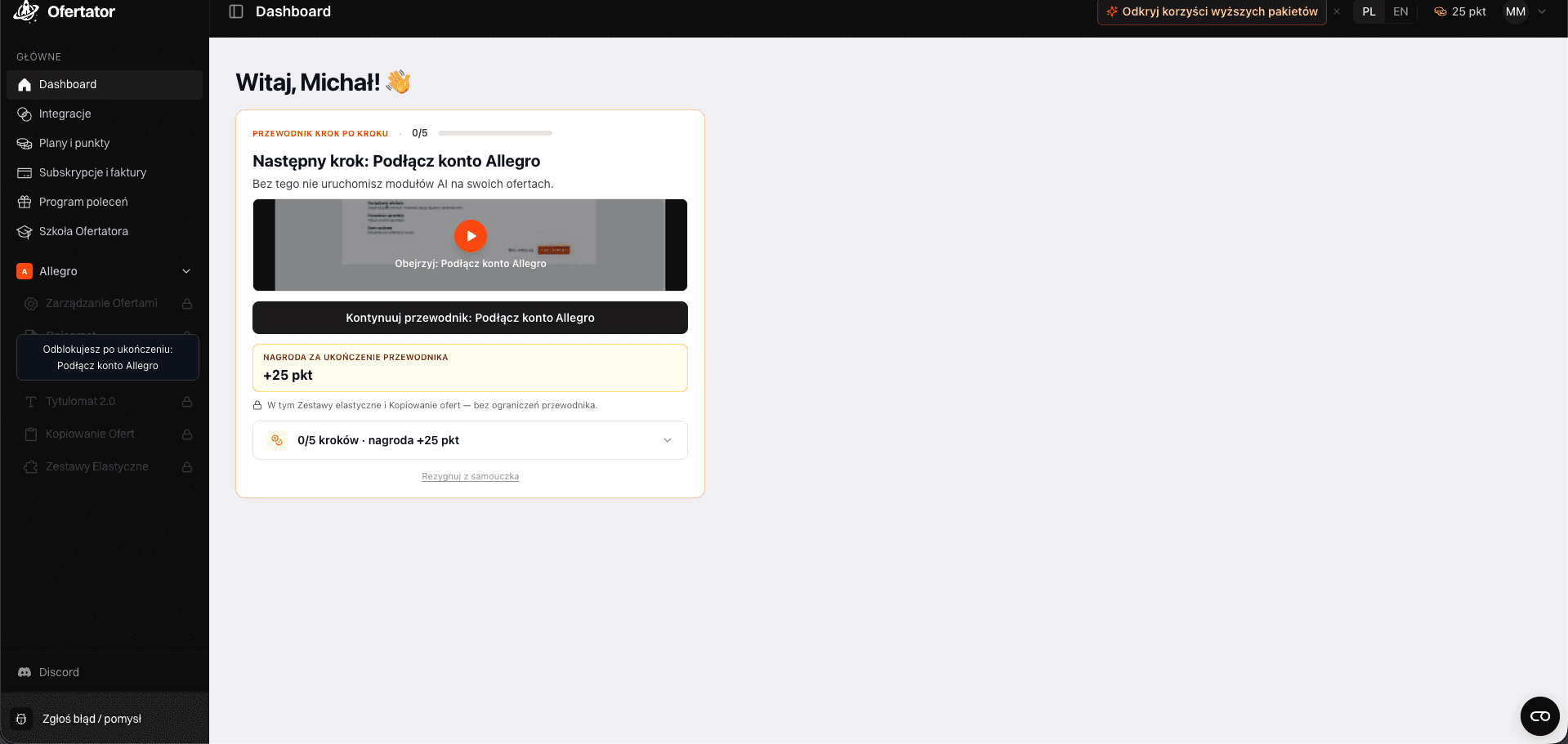
New accounts in Ofertator now see a short step-by-step guide — showing how to connect an Allegro account, where to find Tytułomat and Opisomat, and how to start the first optimization. This is designed to shorten the time needed to see the first results.
Payment via PayPal
A new payment method has been added — besides card and bank transfer, you can now top up your points using PayPal as well.

What we fixed
Several smaller fixes reported by you via the Idea / Bug module:
fixes for minor interface bugs reported in recent weeks
unified behavior of filters in the offer management module
minor stability improvements when generating descriptions and titles for larger batches of offers
Thanks for every submission — these are the ones that most often make it to the upcoming fixes list.
What are we building next?
Place | Feature | Status |
|---|---|---|
1. | Grafikomat (graphics creation) | Internal testing, beta in the next two weeks |
2. | Listing new offers from scratch | In plans |
3. | Launching multiple actions at once (Tytułomat + Opisomat + Parameters with one click) | In plans |
What we are preparing in the near future
Grafikomat beta version — automatic thumbnails on a white background and